
printable guides and templates
Everything you need to get the most out of your HG-1 Prime, all in one place. Download instruction manuals, mounting templates, and laser cutting files to customize your grinder. Whether you’re setting things up, making adjustments, or adding a personal touch, we’ve got you covered.
LASER CUTTING TEMPLATES | INSTRUCTION MANUALS | MOUNTING TEMPLATES
01 LASER CUTTING TEMPLATES
Make It Your Own
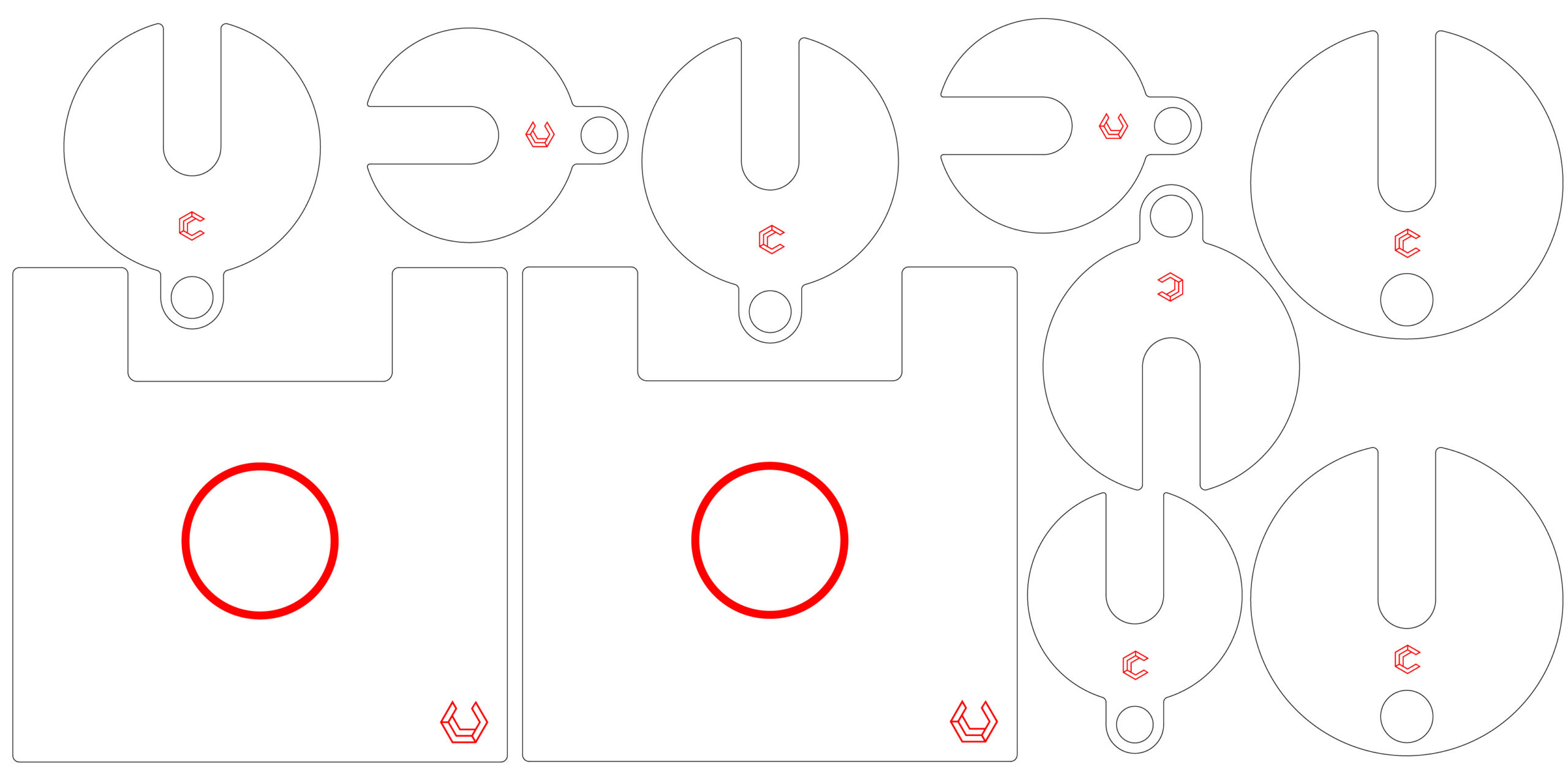
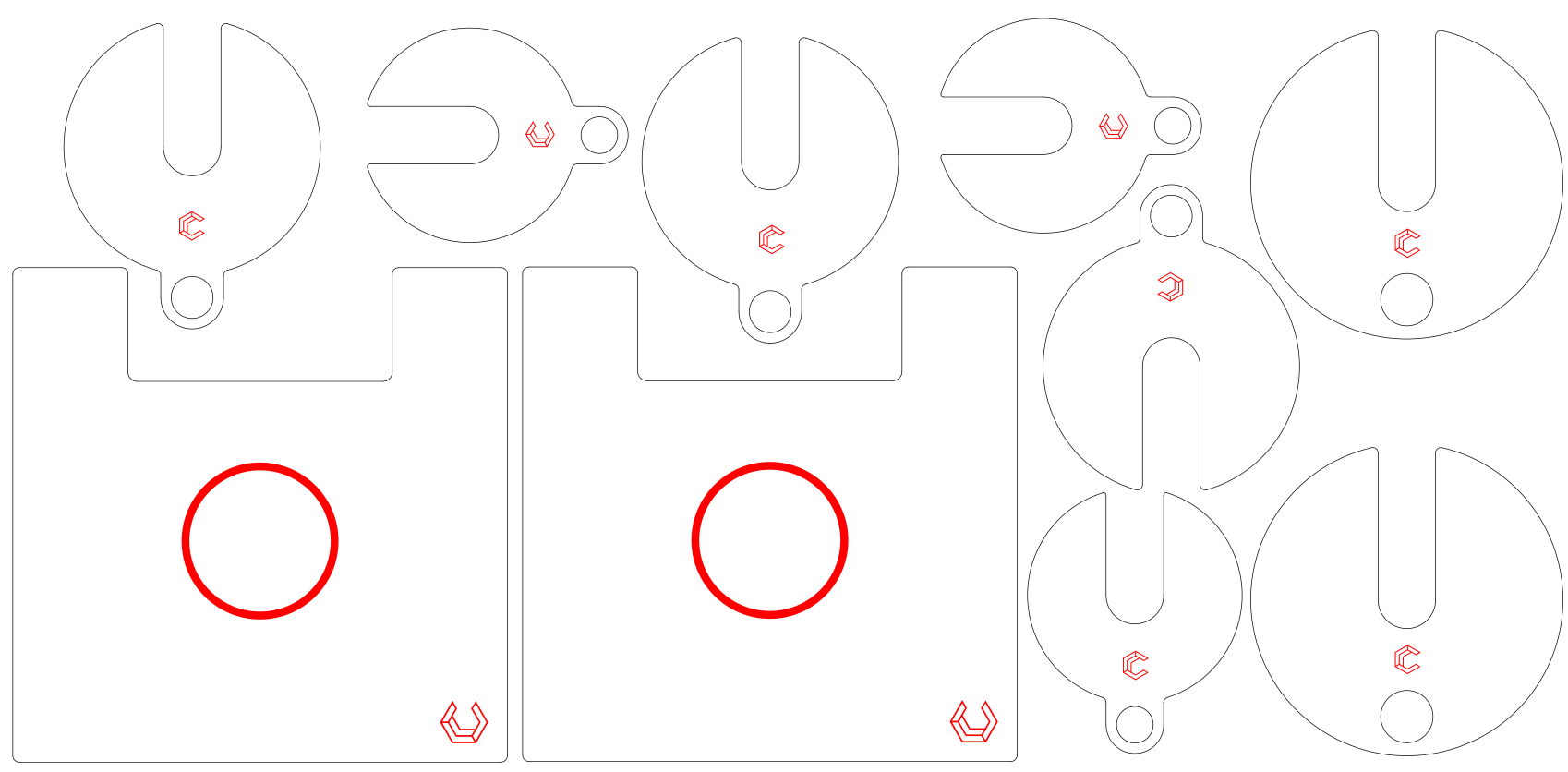
A little personalization goes a long way. We’ve made our laser cutting templates available so you can create your own bean hopper covers for the Espresso, Wide Mouth and Venetian Hoppers, as well as matching custom Base Mattes.
Choose your favorite wood or metal and give your HG-1 Prime a look that’s entirely your own. Download the files and have your parts cut through an online service such as Ponoko.








ABOUT THE LASER CUTTING FILES
We’ve provided our templates in SVG (Scalable Vector Graphics) format, an open-standard vector file that can be opened and edited in applications such as Adobe Illustrator and Inkscape.
Unlike conventional image files, SVG files contain precise vector paths that can be scaled and edited without losing quality. This makes them particularly well suited for laser cutting.
Our templates use a simple convention:
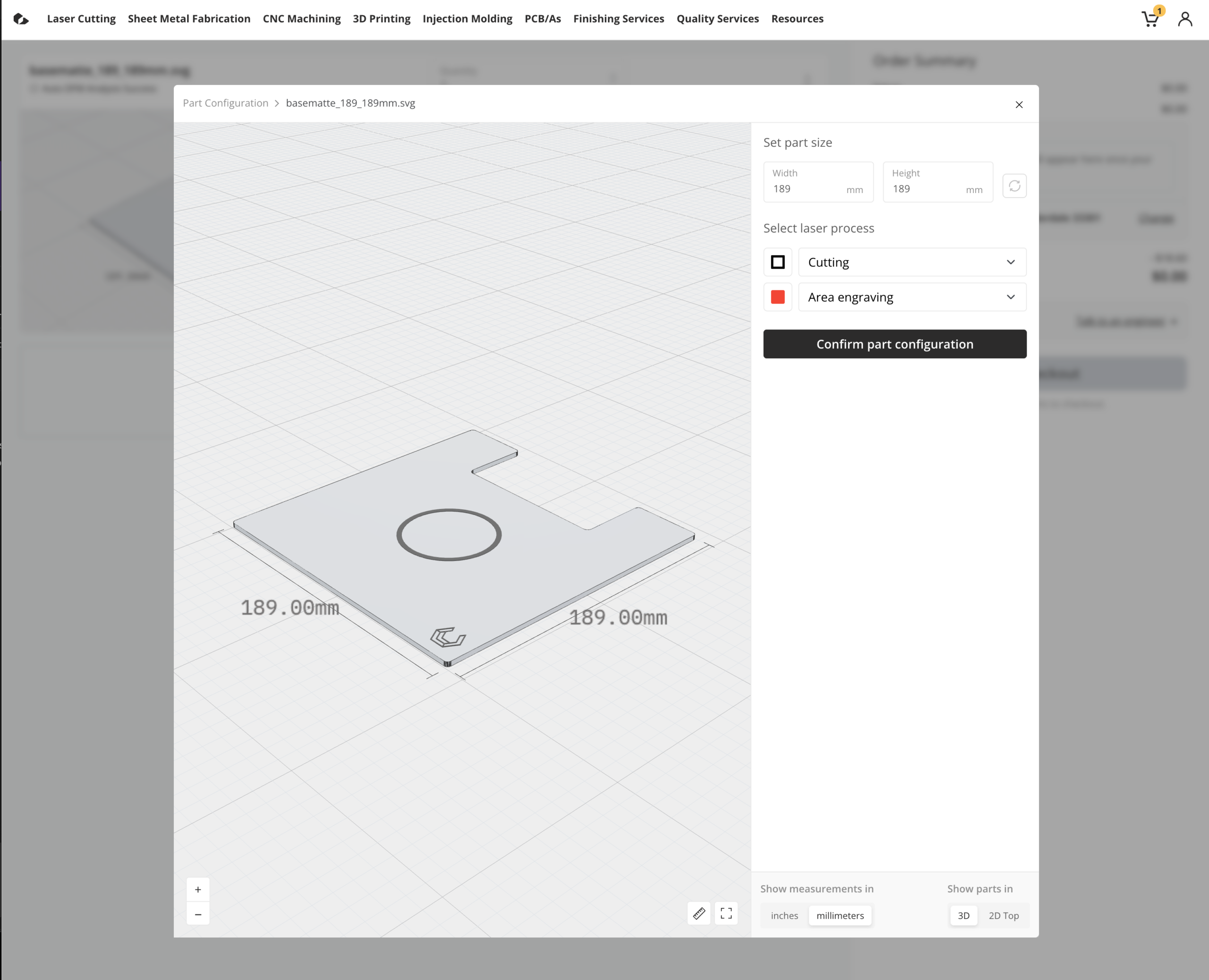
- Black outlines: Cutting paths. The laser cuts completely through the material along these lines.
- Filled areas: Engraving. These areas are marked or recessed into the material rather than cut through.
A PERSONAL TOUCH
Feel free to customize the templates by adding patterns, initials, or other decorative details. You can also experiment with different woods and metals to create something uniquely yours.
Once you’re happy with your design, upload the SVG file to Ponoko or another compatible laser cutting service. Ponoko offers cost savings when cutting multiple parts from larger sheets of material. Our Grouped Parts template takes advantage of this by nesting several components onto a single sheet, helping reduce fabrication costs.
IMPORTANT: Always verify the dimensions, material thickness, and cutting or engraving settings before ordering. Different materials and fabrication services may require adjustments to the files. The file name of each template states the metric dimension of the part in milmeters.
02 MANUALS
The Fine Print (Worth Reading)
Everything you need to get acquainted with your HG-1 Prime. Downloadable manuals cover assembly, operation, adjustment, and maintenance, helping you get the most out of your grinder.
Whether you’re setting up for the first time or need a quick refresher, you’ll find the instructions here.
02A QUICK START GUIDES
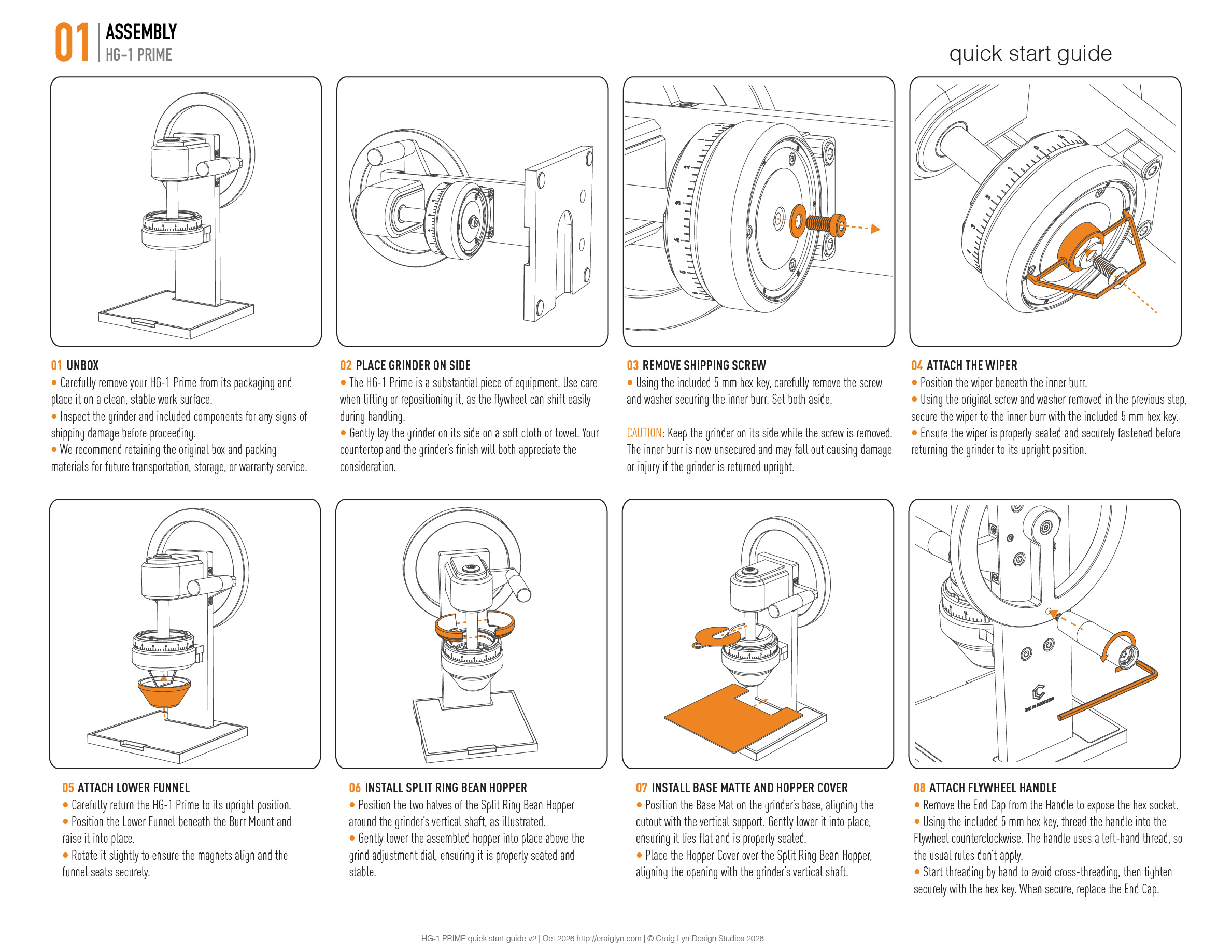
Quick Start Assembly Instructions
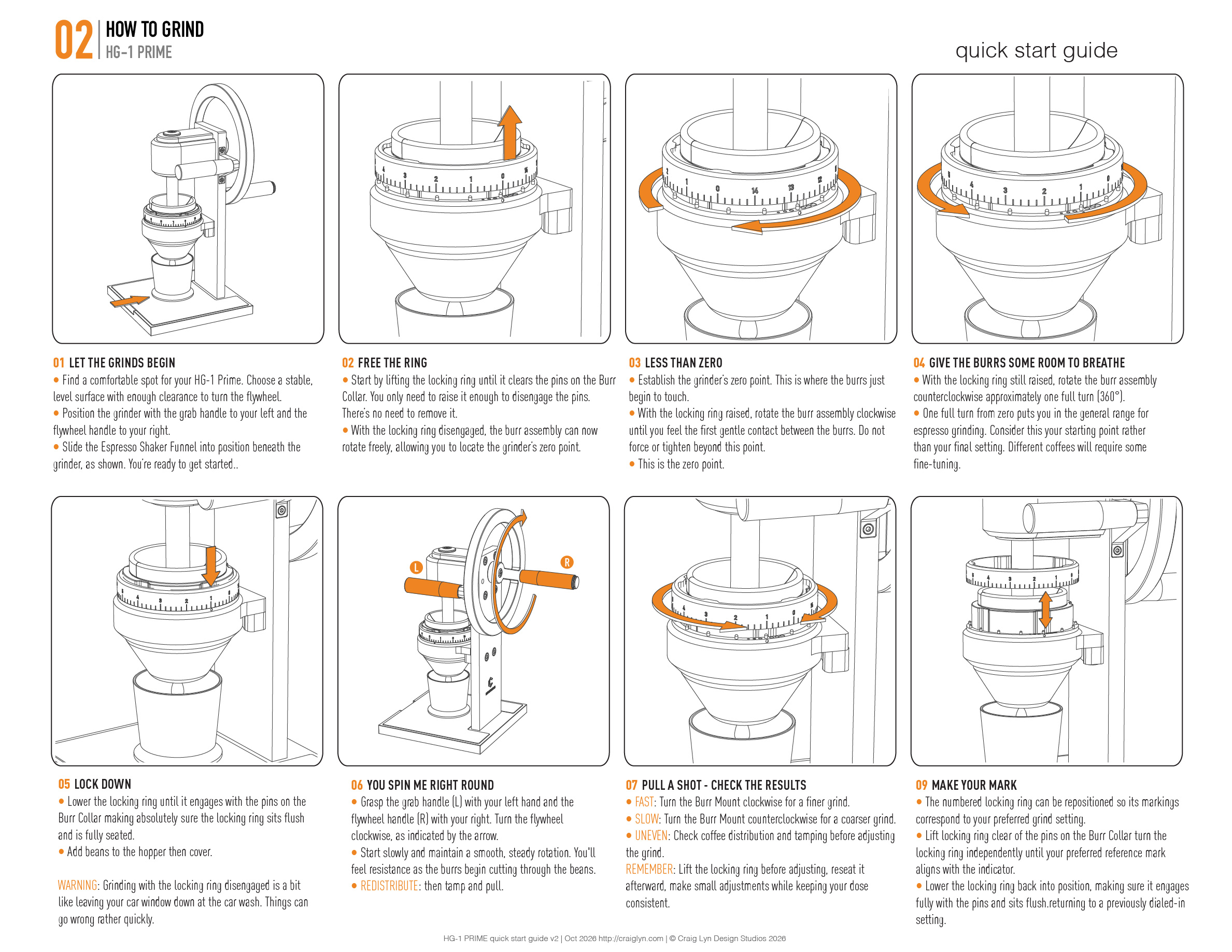
Quick Start How to Grind
02B BASE KEY INSTALLATION INSTRUCTIONS
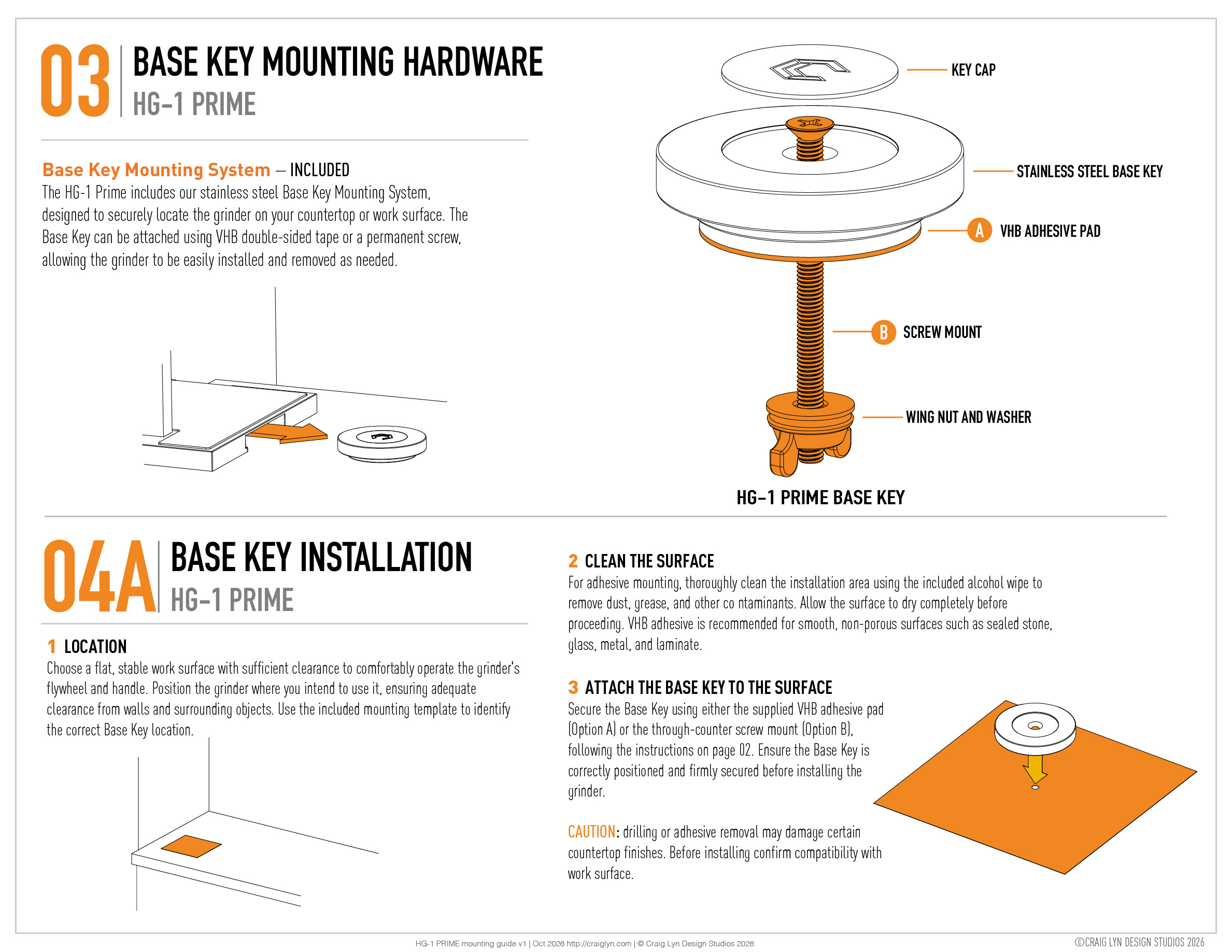
Base Key Hardware
Base Key Install
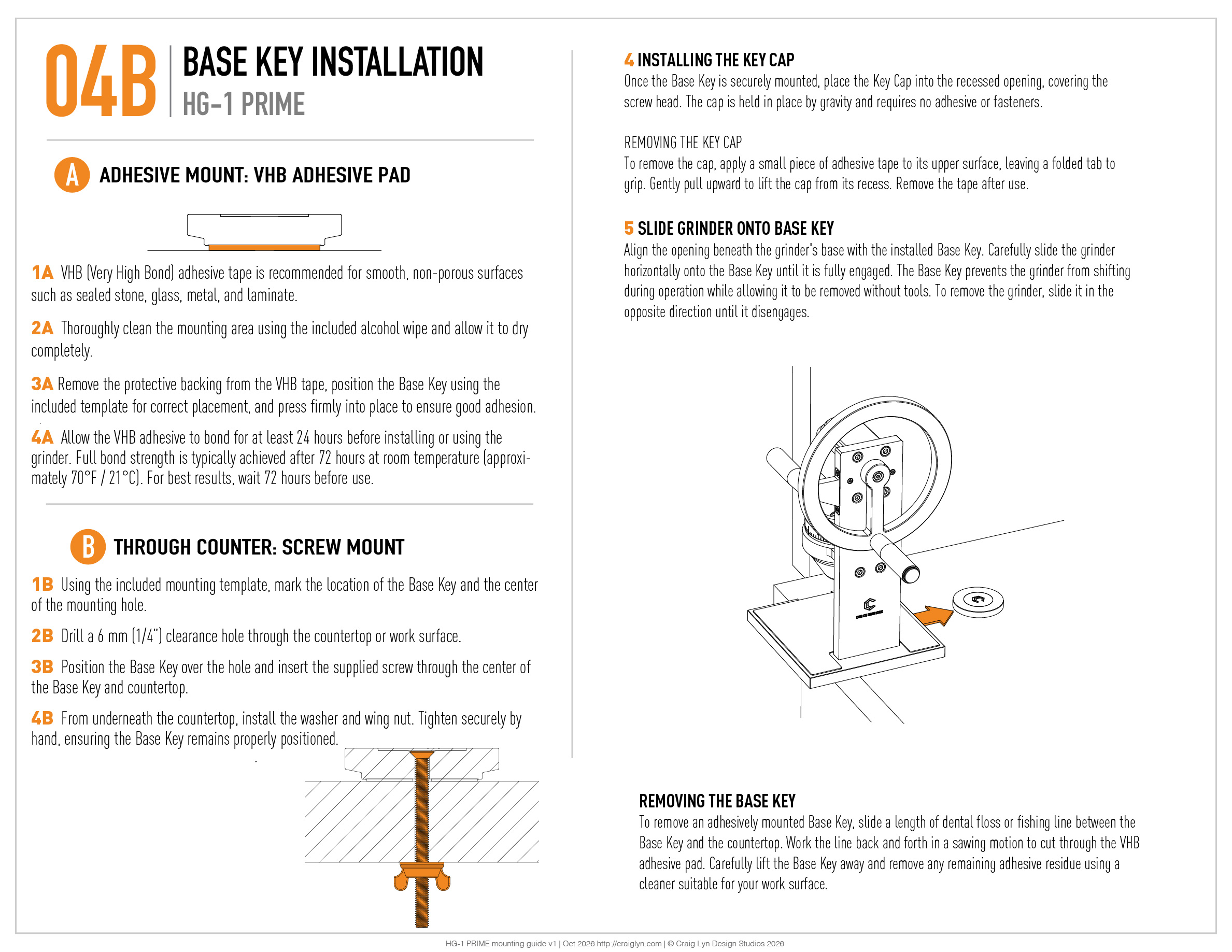
Base Key Screw Mount Install
02C SCREW MOUNT INSTALLATION INSTRUCTIONS
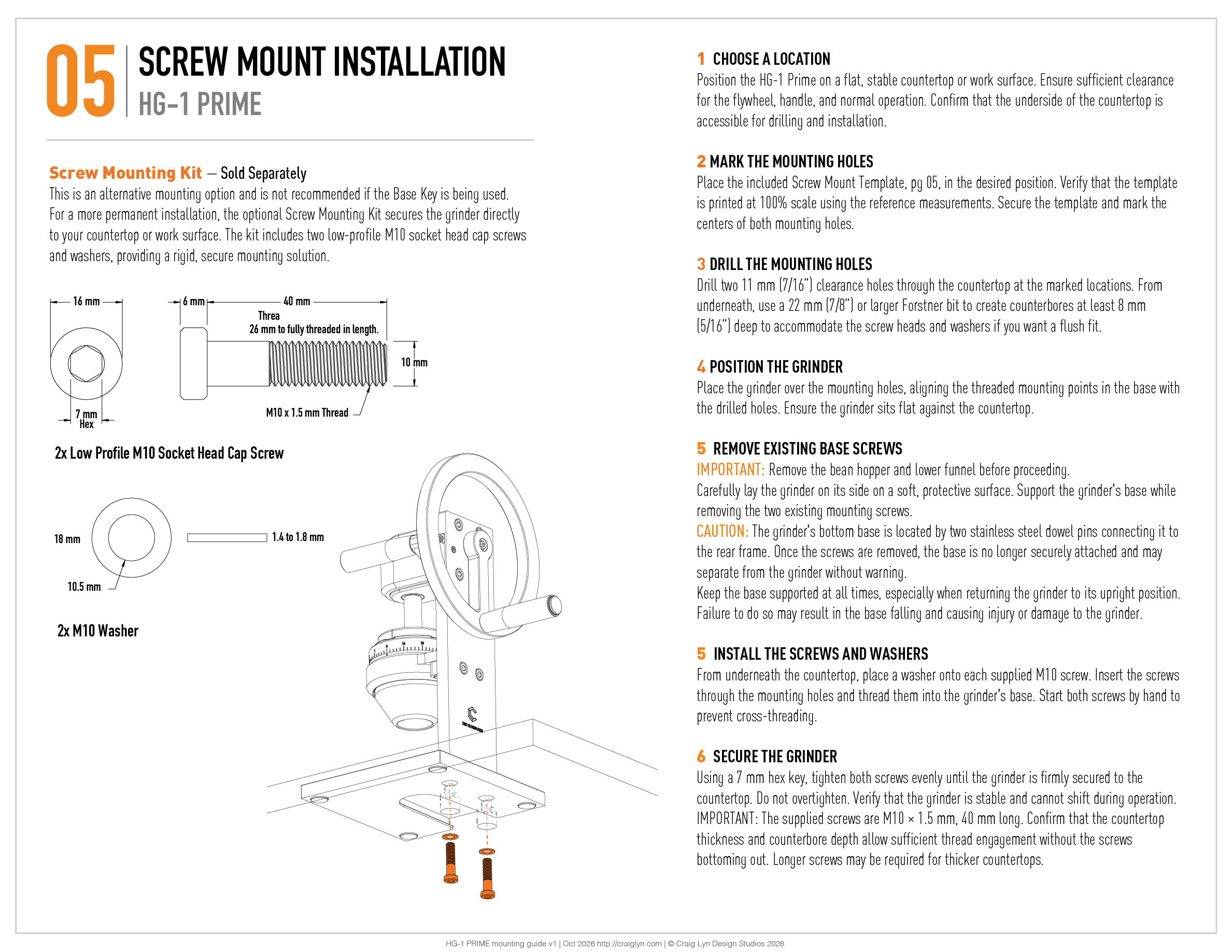
Screw Mount Install
03 MOUNTING TEMPLATES
A Firm Foundation
The HG-1 Prime is designed to be securely mounted for a more comfortable grinding experience.
Download our printable templates for direct screw mounting or the Base Key mounting system. Each provides the positioning information needed to prepare your work surface and install your grinder securely.
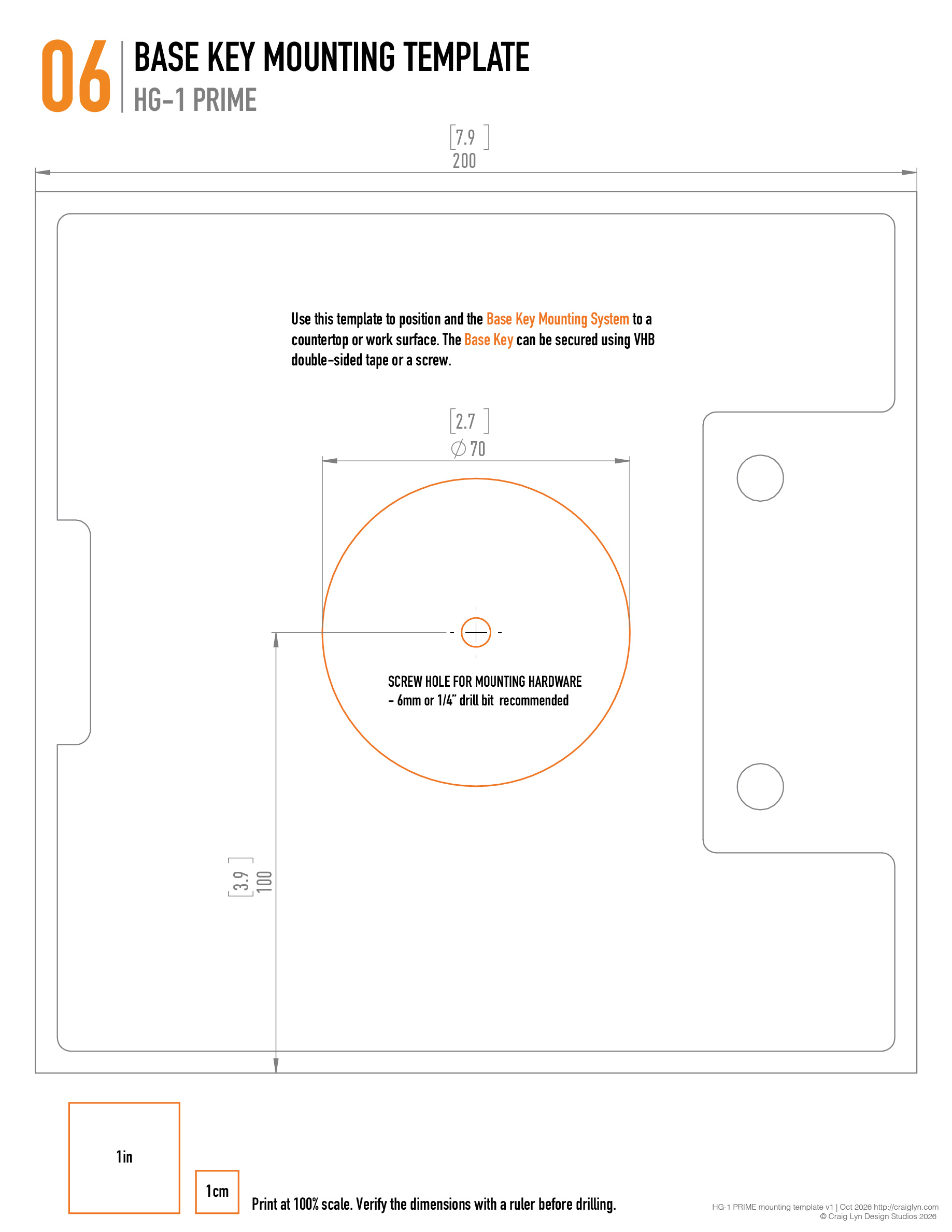
Base Key Mounting Template
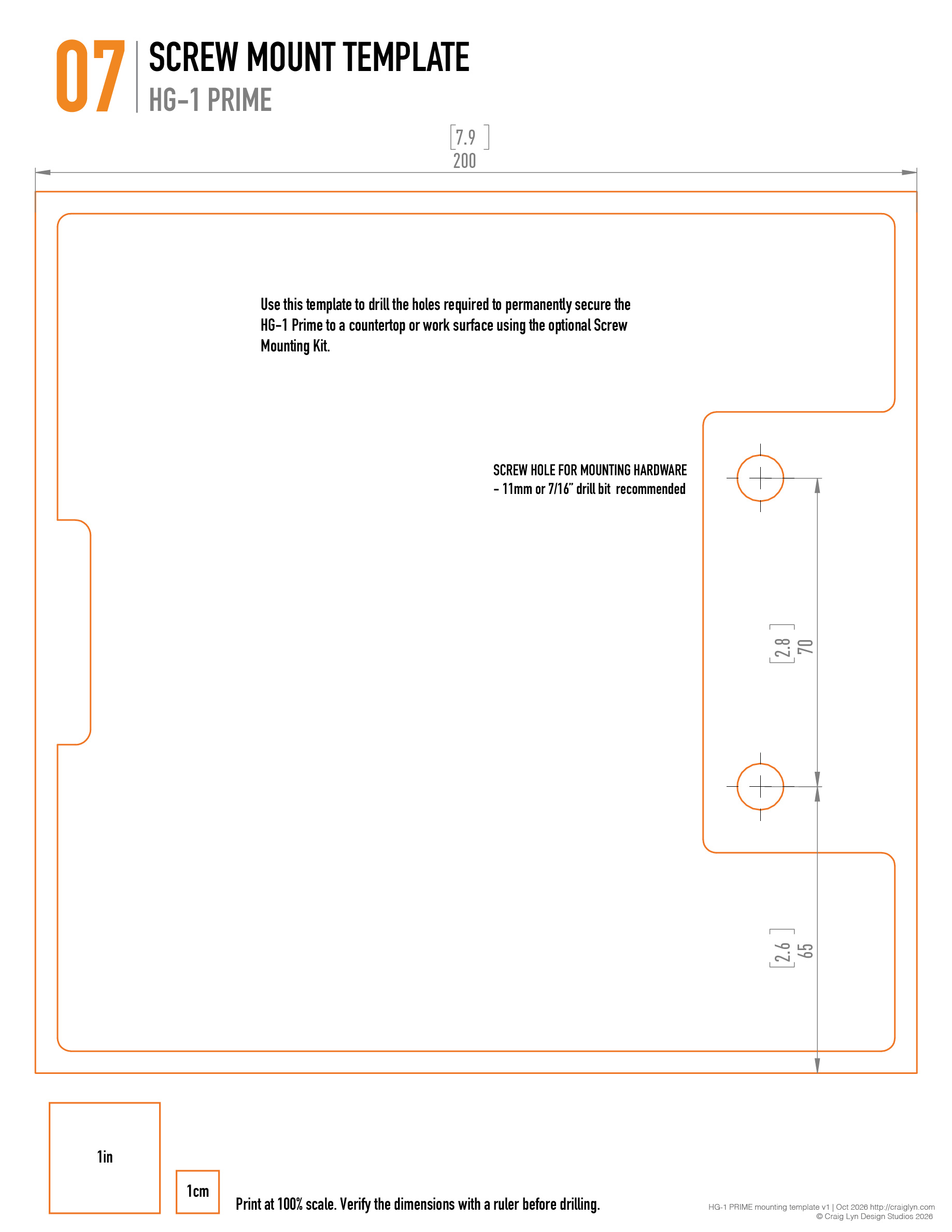
Screw Mount Template